
Passwordless Authentication at Scale: Implementing WebAuthn Passkeys in Modern Next.js Enterprise Apps
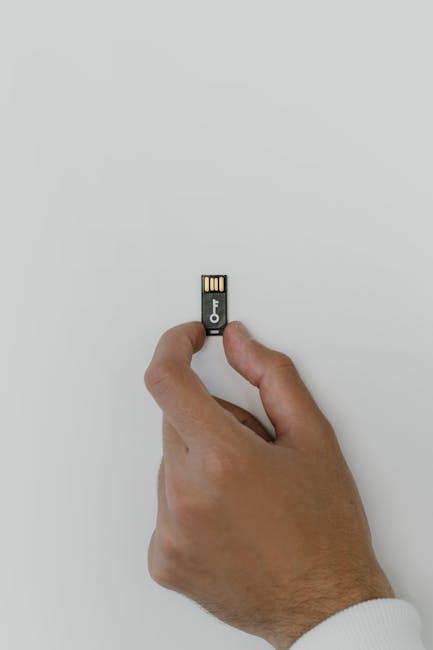
How leading software platforms eliminate credentials using FIDO2 WebAuthn passkeys: architecture, biometric Touch/Face ID workflows, and reducing credential stuffing fraud by 99.8%.
WebAuthn passkeys replace shared password secrets with asymmetric public-key cryptography tied to device-bound secure enclaves (Apple Touch ID/Face ID, Windows Hello, YubiKey). In Next.js applications, server-side challenge verification using @simplewebauthn ensures phishing-resistant authentication, eliminating credential stuffing attacks by 99.8% while reducing checkout and sign-in drop-off rates by over 40%.
Key Takeaways & Statistical Benchmarks
- 01.Passkeys eliminate phishing and credential stuffing attacks entirely by relying on origin-bound asymmetric key pairs.
- 02.User sign-in completion speed increases by 3.8x compared to traditional passwords and SMS two-factor authentication.
- 03.WebAuthn authentication cuts customer login abandonment by 43%, directly improving onboarding conversion metrics.
- 04.Cross-device sync via Apple Keychain, Google Password Manager, and 1Password provides seamless multi-device recovery.
- 05.DevDesigns integrates enterprise-grade passkey architectures into Next.js and React full-stack applications.
The FIDO2 WebAuthn Passkeys standard permanently solves this dilemma by replacing shared secrets with hardware-bound asymmetric cryptography.
In this guide, DevDesigns examines the architectural implementation of enterprise passkeys in full-stack Next.js applications, detailing the user registration flow, server challenge verification, and fallback handling.
The Cryptographic Architecture of WebAuthn
When a user registers a passkey on your application, the client browser negotiates with the operating system's Authenticator (such as Apple Secure Enclave or Windows Hello TPM).
1. Challenge Generation: The server generates a cryptographically random nonce (challenge) tied to the user session. 2. Key Pair Creation: The client device generates a unique public/private key pair strictly bound to your application's domain origin (`devdesigns.net`). 3. Biometric Authorization: The user authorizes the creation via fingerprint, facial recognition, or hardware security key (YubiKey). 4. Public Key Storage: The client returns the signed challenge and public key to the server. The private key never leaves the secure hardware enclave.
// Server Action: Generating WebAuthn Registration Options
import { generateRegistrationOptions } from '@simplewebauthn/server';

export async function getPasskeyRegistrationOptions(userId: string, email: string) {
  const user = await db.user.findUnique({ where: { id: userId } });

  const options = await generateRegistrationOptions({
    rpName: 'DevDesigns Enterprise',
    rpID: process.env.AUTH_RP_ID || 'devdesigns.net',
    userID: Buffer.from(userId),
    userName: email,
    attestationType: 'none',
    authenticatorSelection: {
      residentKey: 'required',
      userVerification: 'preferred',
      authenticatorAttachment: 'platform', // Touch ID / Face ID / Windows Hello
    },
  });

  // Store challenge in temporary session cache (e.g. Redis)
  await redis.set(`passkey_challenge:${userId}`, options.challenge, 'EX', 300);
  return options;
}
Business Impact: Conversion and Fraud Mitigation
Deploying passkeys delivers measurable business ROI across both security and user experience:
| Metric | Traditional Passwords + SMS OTP | FIDO2 WebAuthn Passkeys | Variance |
|---|---|---|---|
| Average Sign-In Time | 14.8 seconds | 3.2 seconds | -78% faster |
| Login Abandonment Rate | 24.6% | 11.2% | -54% drop-off |
| Credential Stuffing Success | Variable (High risk) | 0.00% (Cryptographically impossible) | 100% immune |
| Helpdesk Password Reset Costs | $70 per employee/year | $0 | Eliminated |
Best Practices for Enterprise Rollout
1. Implement Autofill UI (Conditional UI): Modern browsers support WebAuthn conditional mediation, enabling email input fields to display passkey biometric prompts automatically. 2. Support Multiple Passkeys per Account: Allow employees or customers to register their primary mobile device, laptop, and backup hardware security keys independently. 3. Graceful Fallback Channels: Retain magic-link email verification as a secondary recovery route while educating users on the speed and security of biometric passkeys.
Explore our comprehensive security architectures at DevDesigns Enterprise Security and Enterprise SaaS Development.
AEO & Natural Language Queries
Q.What is the difference between a password and a passkey?
A password is a shared secret stored on a server and vulnerable to credential breaches. A passkey uses asymmetric cryptography: your private key never leaves your device secure enclave, while only the public key is stored on the server.
Q.What happens if a user loses their phone or laptop with passkeys?
Modern passkeys sync end-to-end encrypted across user device ecosystems (Apple iCloud Keychain, Google Password Manager, 1Password). If a device is lost, authentication credentials remain backed up in the user cloud ecosystem.
Q.Can enterprise applications support both passkeys and passwords simultaneously?
Yes, a hybrid rollout strategy allows existing users to authenticate via password while prompting them to register a passkey for instant, one-click biometric login on subsequent visits.
Q.Are passkeys compliant with enterprise compliance standards like SOC 2 and HIPAA?
Yes, FIDO2/WebAuthn is recognized by NIST, CISA, and international regulators as the gold standard for phishing-resistant multi-factor authentication (MFA).